# Cas d'Usage Typiques

#### **CAS I :**<span style="white-space: pre-wrap;"> </span>**NOUVELLE FILIALE CRÉÉE**

1. <span style="white-space: pre-wrap;">Créez le tiers (filiale) dans </span>***Dolibarr***
2. Définissez la maison mère dans la fiche du tiers
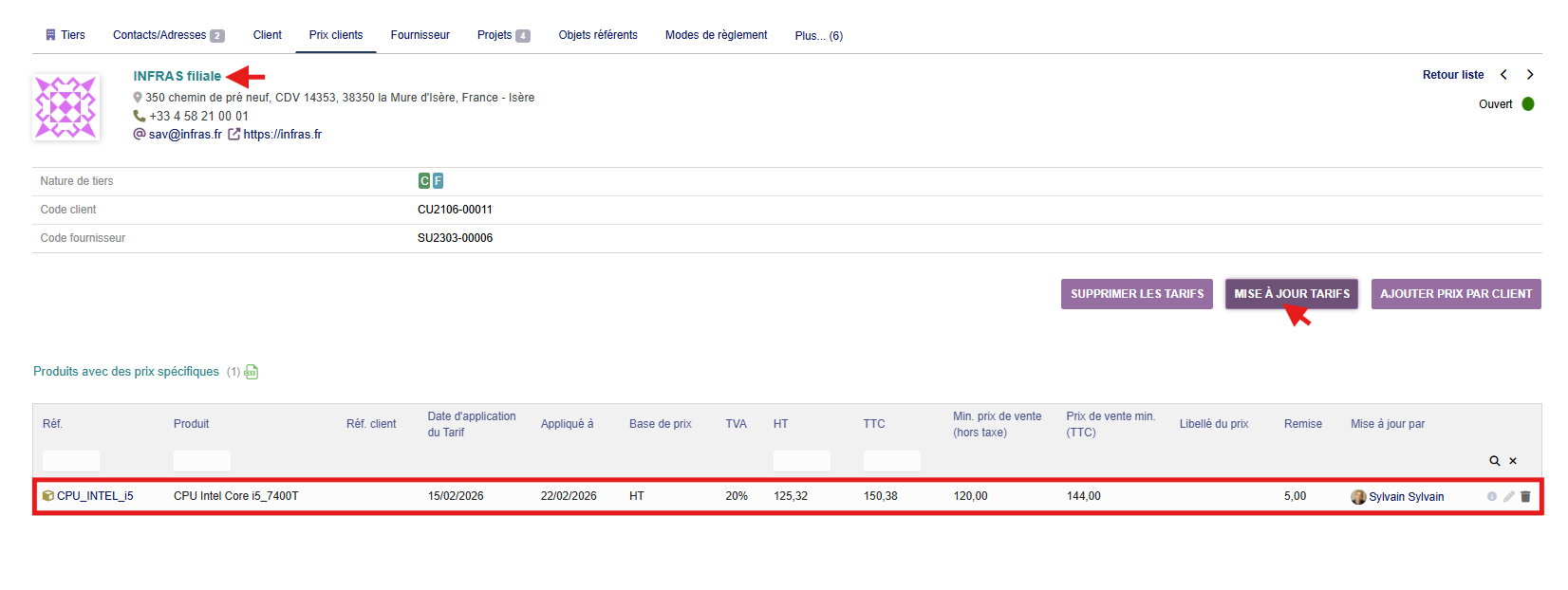
3. <span style="white-space: pre-wrap;">Accédez à l'onglet </span><span style="background-color: rgb(255, 255, 255);">"</span>***Prix client***<span style="background-color: rgb(255, 255, 255);">"</span><span style="white-space: pre-wrap;"> de la filiale</span>
4. <span style="white-space: pre-wrap;">Cliquez sur </span><span style="color: rgb(0, 0, 0); background-color: rgb(255, 255, 255);">"</span>***Mise à jour Tarifs***<span style="color: rgb(0, 0, 0); background-color: rgb(255, 255, 255);">"</span>
5. <span style="color: rgb(0, 0, 0); background-color: rgb(255, 255, 255);">Les prix de la maison mère sont copiés automatiquement</span>[![cusPrice2.png](https://wiki.infras.fr/uploads/images/gallery/2026-02/scaled-1680-/SqSbK9vKdhyZ31uF-cusprice2.png)](https://wiki.infras.fr/uploads/images/gallery/2026-02/scaled-1680-/SqSbK9vKdhyZ31uF-cusprice2.png)

- - [ ] **Astuce :**<span style="white-space: pre-wrap;"> Cette opération peut être répétée pour plusieurs filiales successivement.</span>

#### **CAS II :**<span style="white-space: pre-wrap;"> </span>**FILIALE QUITTANT LE GROUPE**

1. Accédez à la fiche du tiers (filiale)
2. <span style="white-space: pre-wrap;">Allez dans l'onglet </span><span style="background-color: rgb(255, 255, 255);">"</span>***Prix client***<span style="background-color: rgb(255, 255, 255);">"</span>
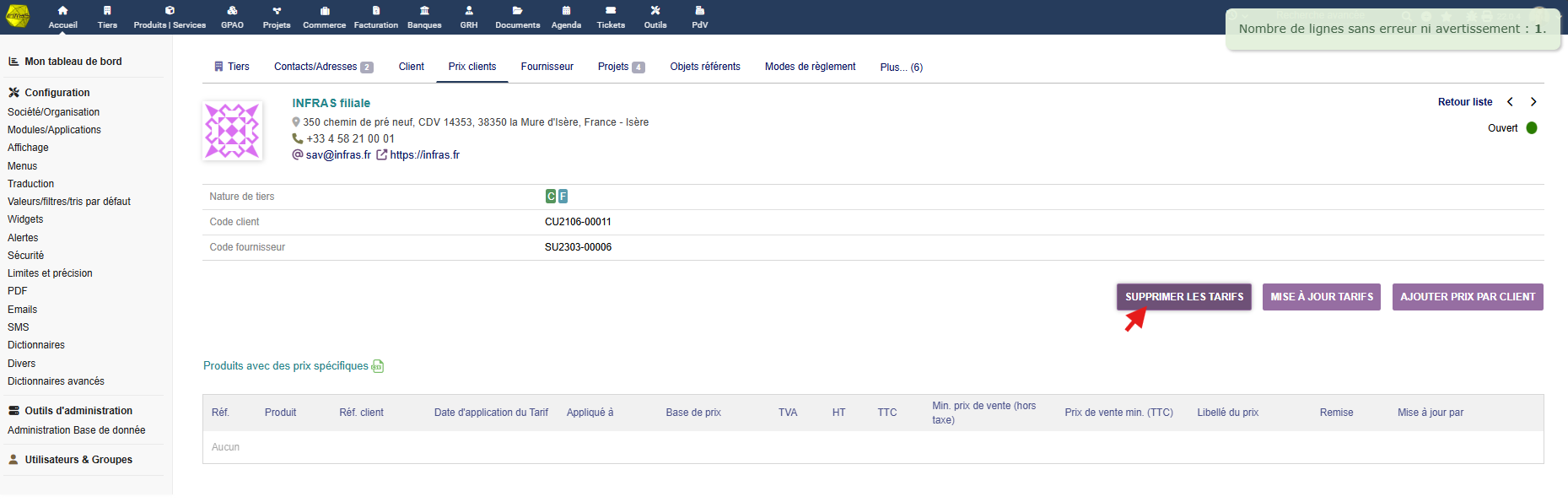
3. <span style="white-space: pre-wrap;">Cliquez sur </span><span style="color: rgb(0, 0, 0); background-color: rgb(255, 255, 255);">"</span>**Supprimer les tarifs**<span style="color: rgb(0, 0, 0); background-color: rgb(255, 255, 255);">"</span>
4. <span style="white-space: pre-wrap;">Modifiez la fiche du tiers pour </span>**supprimer la relation maison mère**[![supp.png](https://wiki.infras.fr/uploads/images/gallery/2026-02/scaled-1680-/YnLdna9CMAJitrxt-supp.png)](https://wiki.infras.fr/uploads/images/gallery/2026-02/scaled-1680-/YnLdna9CMAJitrxt-supp.png)

<p class="callout info">**Important :**<span style="white-space: pre-wrap;"> Assurez-vous de vouloir supprimer tous les prix avant de confirmer l'action.</span></p>

#### **CAS III :**<span style="white-space: pre-wrap;"> </span>**MISE À JOUR DES RARIFS D'UN GROUPE**

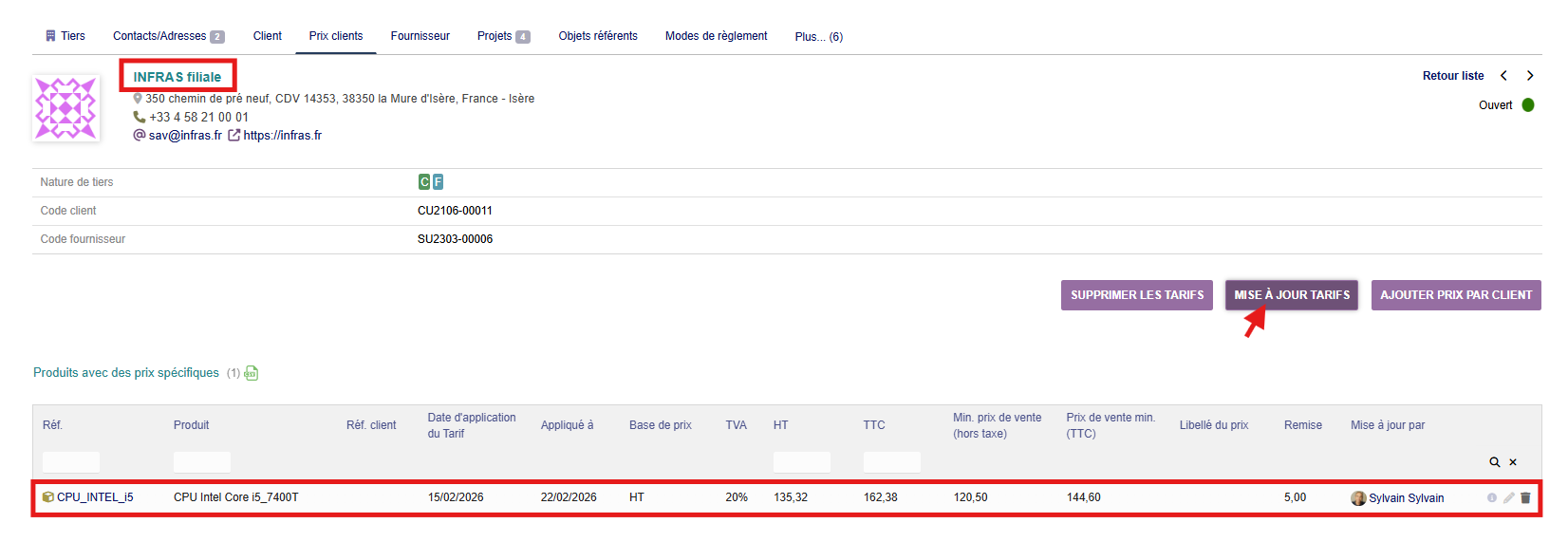
1. Modifiez les prix clients de la maison mère[![modif.png](https://wiki.infras.fr/uploads/images/gallery/2026-02/scaled-1680-/95PyBWjqNrSfuVVs-modif.png)](https://wiki.infras.fr/uploads/images/gallery/2026-02/scaled-1680-/95PyBWjqNrSfuVVs-modif.png)
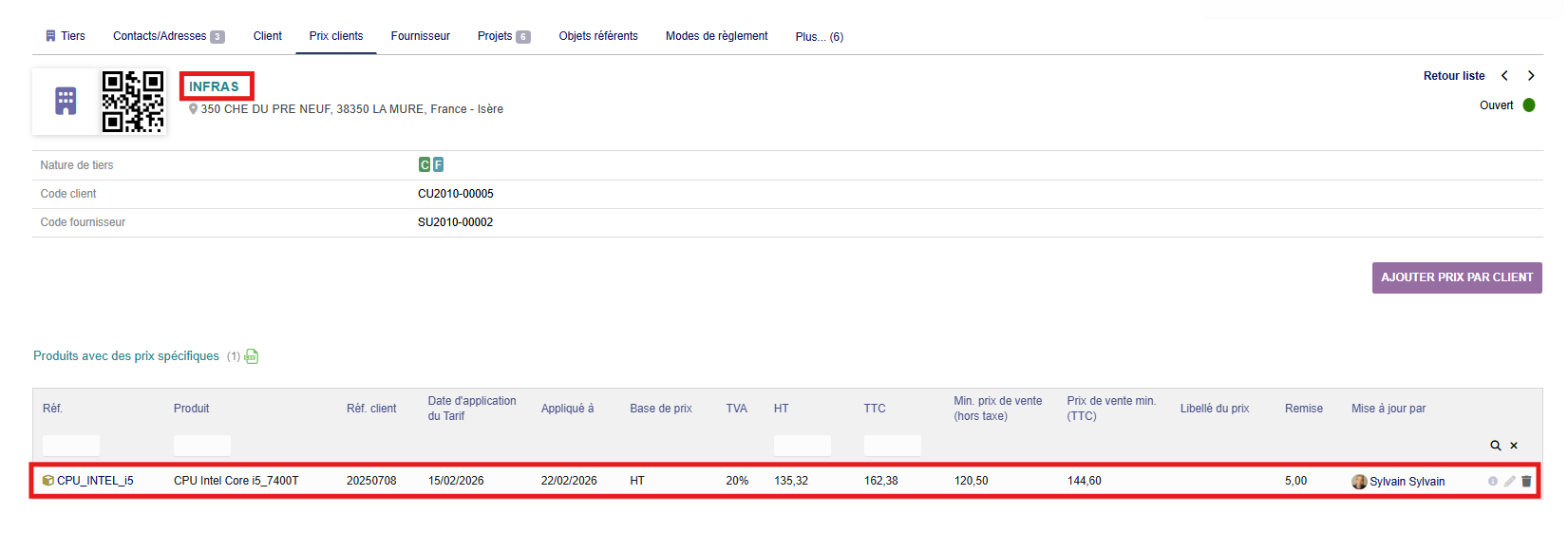
2. Pour chaque filiale concernée :
    - Accédez à l'onglet "***Prix client***"
    - Cliquez sur "***Mise à jour Tarif*****s**"
3. <span style="color: rgb(0, 0, 0); background-color: rgb(255, 255, 255);">Les nouveaux tarifs sont propagés</span>[![modif2.png](https://wiki.infras.fr/uploads/images/gallery/2026-02/scaled-1680-/aLbWYIBz1aegOafZ-modif2.png)](https://wiki.infras.fr/uploads/images/gallery/2026-02/scaled-1680-/aLbWYIBz1aegOafZ-modif2.png)

**Conseil :**<span style="white-space: pre-wrap;"> Notez les dates des mises à jour pour assurer la traçabilité des modifications de tarifs.</span> Testez d'abord sur une filiale pilote avant un déploiement général